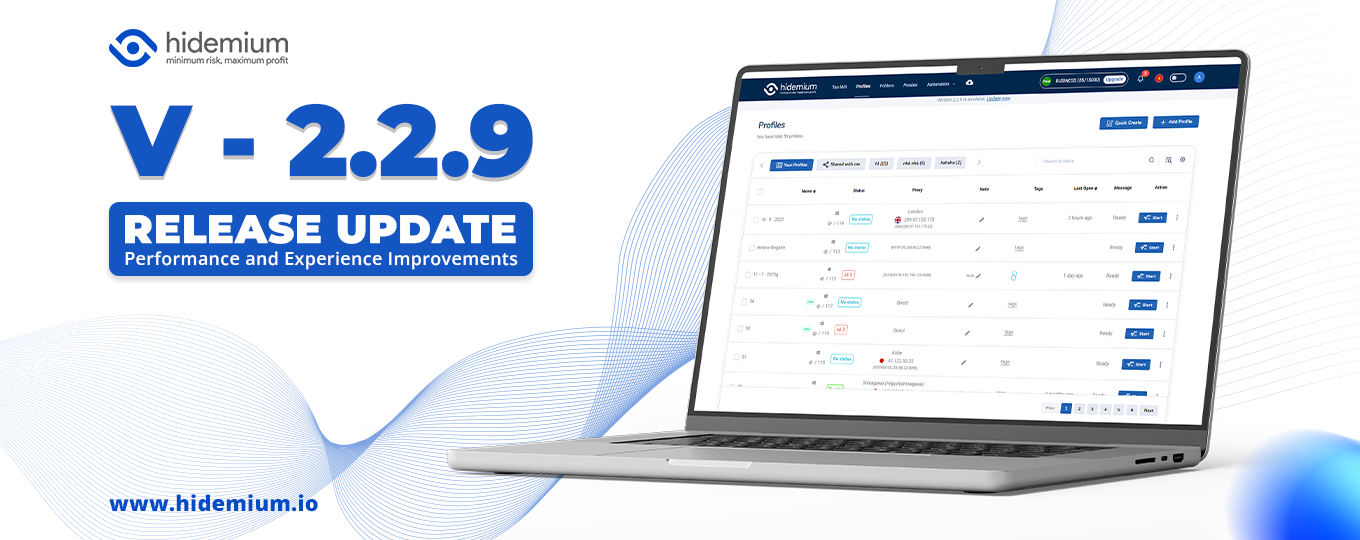

Hidemium software update release
Hidemium 2.2.9: Thêm Tính Năng Team Member, Cải Tiến Hiệu Suất Và Trải Nghiệm!
Hidemium vừa phát hành bản cập nhật mới nhất, phiên bản 2.2.9. Bản cập nhật này bao gồm các tính năng và cải tiến mới sau:
-
- Thêm tính năng Team member: Tính năng này giúp bạn quản lý và chia công việc cho từng user riêng biệt. Tính năng này hiện đang được sử dụng miễn phí.
-
- Cải tiến chức năng Automation đa luồng: Chức năng này hiện đang chạy mượt và nhanh hơn, hiệu suất được cải thiện.
-
- Cải tiến màn hình Create + Edit: Màn hình này hiện đã được cải thiện để dễ sử dụng và hiệu quả hơn.
-
- Đổi cơ chế Sync file: Cơ chế này hiện đã được cải thiện để mang lại trải nghiệm người dùng tốt hơn.
-
- Fix bug http Automation: Một số bug đã được khắc phục trong chức năng này.

Tính năng Team member
Tính năng Team member cho phép bạn tạo các nhóm người dùng để quản lý và chia công việc. Mỗi nhóm có thể có các quyền và quyền truy cập khác nhau.
Tính năng này hữu ích cho các tổ chức có nhiều người dùng. Nó giúp bạn dễ dàng quản lý các dự án và nhiệm vụ, đồng thời đảm bảo rằng mọi người có quyền truy cập vào dữ liệu và tài nguyên cần thiết.
Cải tiến chức năng Automation đa luồng
Chức năng Automation đa luồng cho phép bạn chạy nhiều tác vụ cùng một lúc. Trong bản cập nhật mới, chức năng này đã được cải thiện để chạy mượt và nhanh hơn.
Cải tiến này giúp bạn tiết kiệm thời gian và công sức khi thực hiện các tác vụ tự động.
Cải tiến màn hình Create + Edit
Màn hình Create + Edit cho phép bạn tạo và chỉnh sửa các tài liệu và tệp. Trong bản cập nhật mới, màn hình này đã được cải thiện để dễ sử dụng và hiệu quả hơn.
Các cải tiến bao gồm:
-
- Thêm các tùy chọn định dạng mới
-
- Tăng khả năng tùy chỉnh
-
- Cải thiện khả năng tìm kiếm
Cải tiến cơ chế Sync file
Cơ chế Sync file cho phép bạn đồng bộ dữ liệu và tệp giữa các thiết bị. Trong bản cập nhật mới, cơ chế này đã được cải thiện để mang lại trải nghiệm người dùng tốt hơn.
Các cải tiến bao gồm:
-
- Tăng tốc độ đồng bộ
-
- Giảm băng thông sử dụng
-
- Cải thiện khả năng xử lý lỗi
Fix bug http Automation
Một số bug đã được khắc phục trong chức năng Automation http. Các bug này có thể gây ra các vấn đề như lỗi kết nối hoặc lỗi mã.
Kết luận
Bản cập nhật mới của Hidemium mang đến nhiều tính năng và cải tiến mới giúp bạn quản lý dữ liệu và bảo mật đám mây hiệu quả hơn. Nếu bạn đang sử dụng Hidemium, hãy cập nhật lên phiên bản mới nhất để trải nghiệm các tính năng và cải tiến mới này.
Một số lưu ý khi sử dụng bản cập nhật mới
Để sử dụng các tính năng và cải tiến mới trong bản cập nhật 2.2.9, bạn cần cập nhật phần mềm lên phiên bản mới nhất. Bạn có thể cập nhật phần mềm từ trang web của Hidemium.
Dưới đây là một số lưu ý khi sử dụng bản cập nhật mới:
-
- Tính năng Team member hiện đang được sử dụng miễn phí. Tuy nhiên, trong tương lai, tính năng này có thể được tính phí.
-
- Các cải tiến về hiệu suất và trải nghiệm có thể không áp dụng cho tất cả các thiết bị và hệ điều hành.
-
- Nếu bạn gặp bất kỳ vấn đề nào khi sử dụng bản cập nhật mới, vui lòng liên hệ với đội ngũ hỗ trợ của Hidemium.
———————————
Hidemium has just released its latest update, version 2.2.9. This update includes the following new features and improvements:
-
- Adding Team member feature: This feature helps you manage and assign work to individual users. This feature is currently free to use.
-
- Improved multi-threaded Automation function: This function now runs smoother and faster, with improved performance.
-
- Improved Create + Edit screen: This screen has now been improved for easier and more efficient use.
-
- Changed file Sync mechanism: This mechanism has now been improved to provide a better user experience.
- Fixed http Automation bug: Some bugs have been fixed in this function.
Team member feature
The Team member feature allows you to create user groups to manage and assign work. Each group can have different permissions and access.
This feature is useful for organizations with multiple users. It helps you easily manage projects and tasks, while ensuring that everyone has access to the data and resources they need.
Improved multi-threaded Automation function
The multi-threaded Automation function allows you to run multiple tasks at the same time. In the new update, this function has been improved to run smoother and faster.
This improvement helps you save time and effort when performing automated tasks.
Improved Create + Edit screen
The Create + Edit screen allows you to create and edit documents and files. In the new update, this screen has been improved for easier and more efficient use.
The improvements include:
-
- Adding new formatting options
-
- Increasing customization
-
- Improving search capabilities
Improved file Sync mechanism
The file Sync mechanism allows you to synchronize data and files between devices. In the new update, this mechanism has been improved to provide a better user experience.
The improvements include:
-
- Increased sync speed
-
- Reduced bandwidth usage
-
- Improved error handling
Fixed http Automation bug
Some bugs have been fixed in the http Automation function. These bugs could cause issues such as connection errors or code errors.
Conclusion
The new update to Hidemium brings a number of new features and improvements to help you manage and secure cloud data more effectively. If you are using Hidemium, be sure to update to the latest version to experience these new features and improvements.
Some notes for using the new update
To use the new features and improvements in the 2.2.9 update, you need to update the software to the latest version. You can update the software from the Hidemium website.
Here are some notes for using the new update:
-
- The Team member feature is currently free to use. However, in the future, this feature may be chargeable.
-
- Performance and experience improvements may not apply to all devices and operating systems.
- If you encounter any problems using the new update, please contact Hidemium support.
Related Blogs

Have you ever been in a situation Google Chrome requires fingerprint scanning before allowing you to view or autofill saved passwords? This is an important security feature to protect personal data, but not all users want to use it.The cause may come from Fingerprint sensor not working properly, privacy concerns, or you simply find it inconvenient. The good news is that you can turn off[…]

Running a dropshipping business on eBay can be highly profitable, but it also comes with a major risk: unexpected account suspensions. For dropshippers, managing multiple accounts on the same computer without proper protection can easily lead to account bans.Even a small mistake—such as using duplicate IP addresses or exposing your browser fingerprint—can result in immediate suspension. So how[…]

The choice AweSun – secure remote access software plays a vital role in helping large businesses, freelancers, and remote workers overcome the barriers of connecting and controlling computers in different locations. The right tools will give you the ability to seamless collaboration, session access and remote file transfer fast, efficient troubleshooting support anywhere in the world.To help you[…]


In China, the Internet censorship system – commonly known as The Great Firewall (GFW)– continuously blocks access to thousands of international websites and applications such as Google, Facebook or WhatsApp. Therefore, for tourists, foreigners living in China or local residents, VPN became an important tool to maintain digital freedom and access the services needed for work and personal[…]

Do you think you're truly safe when using the Internet? This might not be as true as you believe. Websites often track your activities using various methods. Among these, browser fingerprinting is considered the most precise and effective tracking technology. This technique creates a unique device fingerprint based on your browser attributes and other identifiable information, posing significant[…]
