
Trên thị trường hiện nay có rất nhiều các app antidetect browser, tuỳ thuộc vào nhu cầu mục đích sử dụng của từng người sẽ có những lựa chọn app phù hợp với công việc của mình. Chúng ta sẽ review lại 1 lượt với app Hidemium để xem Hidemium đã và đang làm được những gì.
- Fake Fingerprint
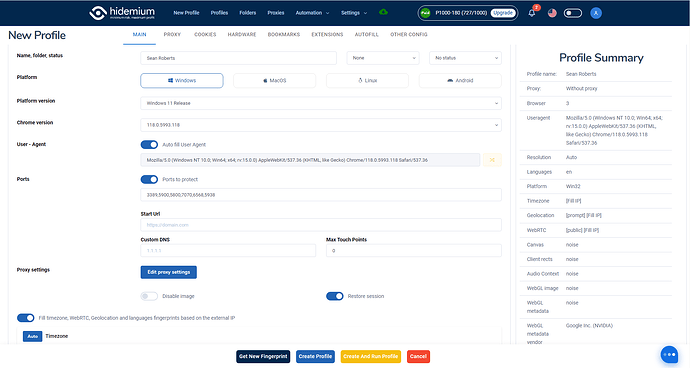
Ở phiên bản 2.3.8 download trực tiếp trên trang chủ chúng ta thấy cơ bản các chức năng fake fingerprint bao gồm:
- Giả lập hệ điều hành (Windows, MacOs, Linux, Android)
- Giả lập các phiên bản Chrome
- Chặn các port đang được mở trên chrome
- Mở profiles sẽ vào trang nào đầu tiên (Start Url)
- Custom DNS: Tương tự setting ở Setting Chrome → Privacy and Security → Security → Use secure DNS
- Base Timezone, Geolocation, Webrtc, Languages theo Proxy
- Setting Proxy (HTTP, Socks5, SSH…)
- Trình quản lý proxy (Proxy Manager)
- Cookie Manager (Quản lý nhập xuất cookie)
- Hardware Manager Fingerprint (Trình quản lý thông số phần cứng của PC)
- Thay đổi kích thước màn hình máy tính
- Thay đổi thông số card màn hình (render, vendor)
- Thay đổi thông số về tần số Audio
- Thay đổi thuật toán generate hình ảnh WebGL
- Thay đổi thuật toán vẽ hình ảnh Canvas
- Thay đổi cấu trúc khung hình ClientRects
- Thay đổi số lượng bộ xử lý CPU được phân bổ trên trình duyệt. (Hardware concurrency)
- Thay đổi số lượng bộ nhớ RAM
- Thay đổi tên, mã và số lượng thiết bị input, output có trên PC (Media devices)
- Bật tắt chế độ Battery, thay đổi thời gian sạc và thời gian đầy của pin
- Thay đổi số lượng font, nhiễu font phù hợp với hệ điều hành đã giả lập
- Cấu hình bookmarks mặc định cho trình duyệt
- Cài đặt extension mặc định cho trình duyệt
- Tự động điền form trong trình duyệt
- Thay đổi tên máy tính
- Thay đổi mã Mac trên máy tính
- Thay đổi kiểu kết nối mạng trên chrome (Effective type)
- Chế độ bật tắt Bluetooth
- Bật tắt chế độ giám sát trong trình duyệt (Do Not Track)
- Thay đổi SSL fingerprint
- Thay đổi thêm bớt số lượng Plugin trong trình duyệt
- Automation Script
…
Nhìn vào đây chúng ta thấy Hidemium có rất nhiều option cho mọi người thay đổi thông số trên trình duyệt, mặc định config hidemium đã để noise các thông số hết đồng nghĩa mỗi 1 profiles các bạn tạo ra sẽ tương ứng 1 máy tính hoàn toàn khác nhau. Bây giờ chúng ta đi chi tiết vào từng trang check fingerprint để đánh giá:

Ở đây mình sẽ 3 trang check phổ biến nhất đó là: Creepjs, Iphey và Pixelscan:
Với Windows App các bạn chọn phiên bản OS phù hợp và phiên bản chrome sau đó ấn tạo profiles chúng ta sẽ có:
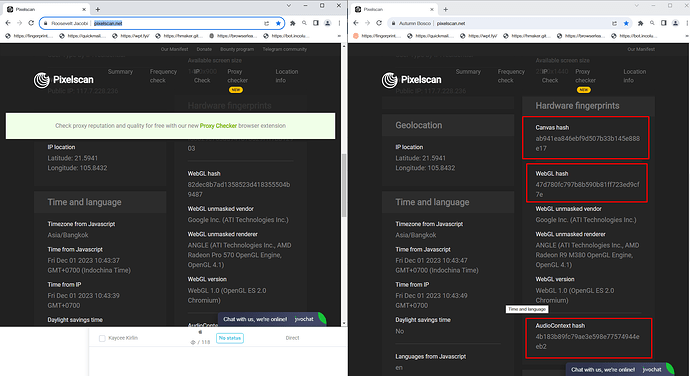
Với Pixelscan:
Tất cả các thông số đã được thay đổi và sát với trình duyệt thực nhất

Với Iphey:
Tất cả các thông số đã được thay đổi và sát với trình duyệt thực nhất

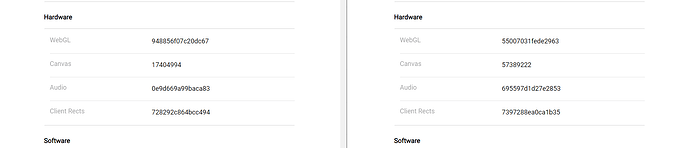
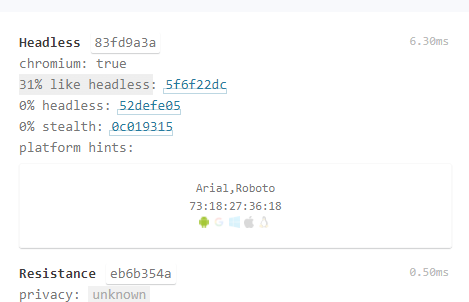
Với Creepjs:
Font chữ được fake theo phiên bản của OS
Các thông số được tiêm chuẩn nên hiển thị hình ảnh theo OS
Platform hints được gợi ý đúng với hệ điều hành giả lập
Với giả lập MacOs trên app windows:
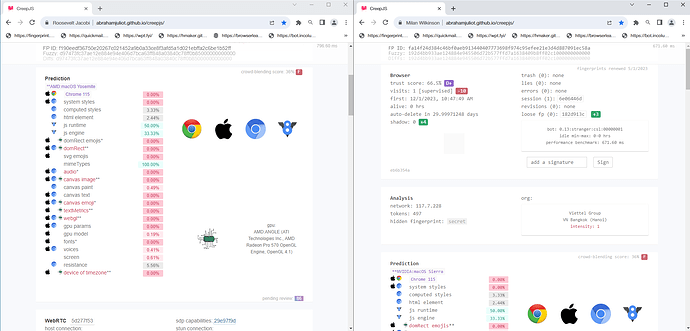
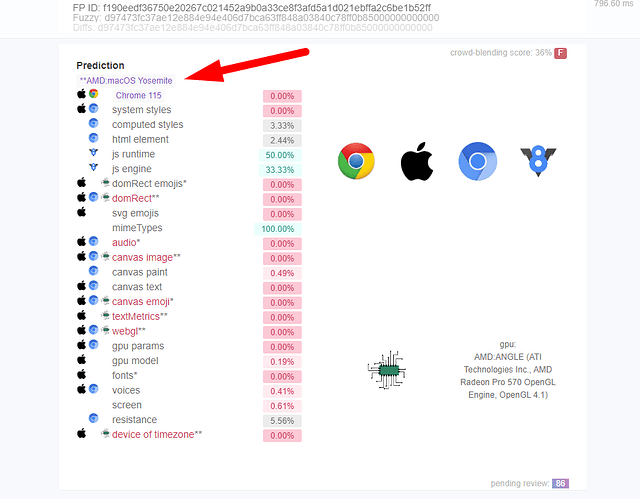
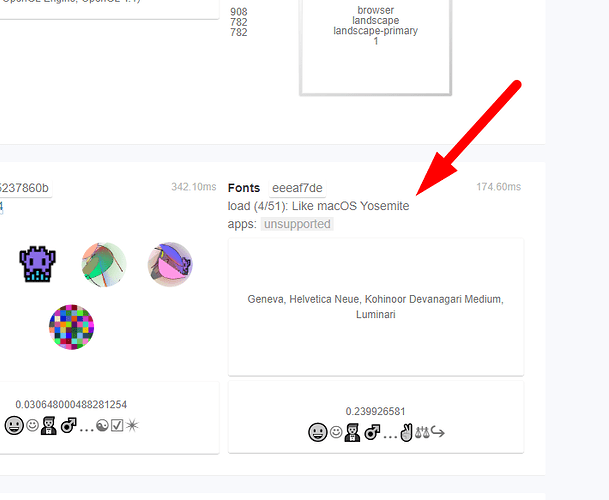
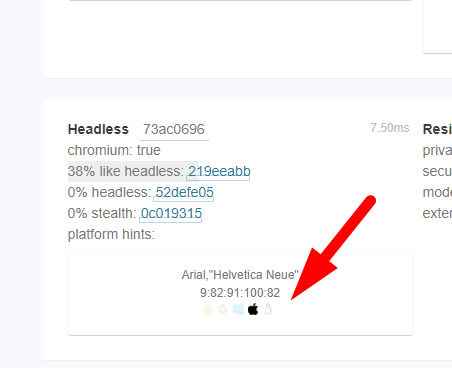
Với Linux trên app windows:
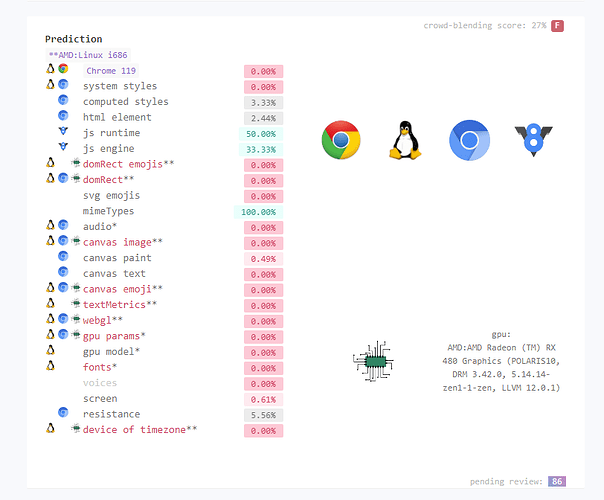
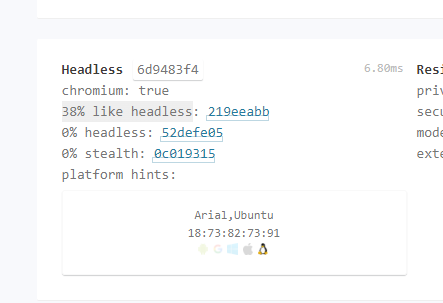
Với Android trên app windows:
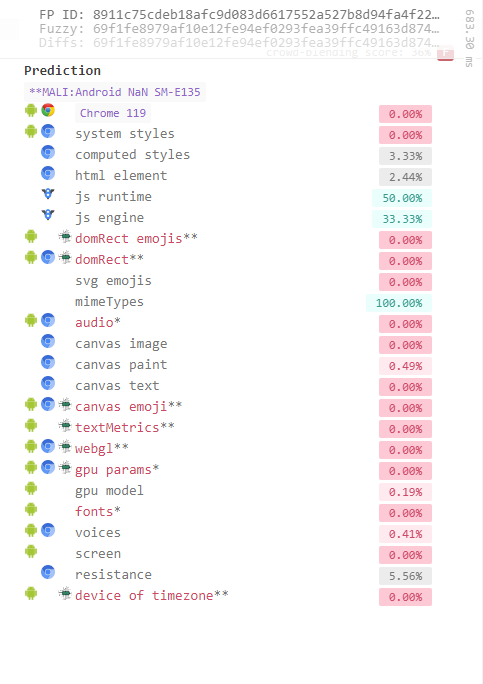
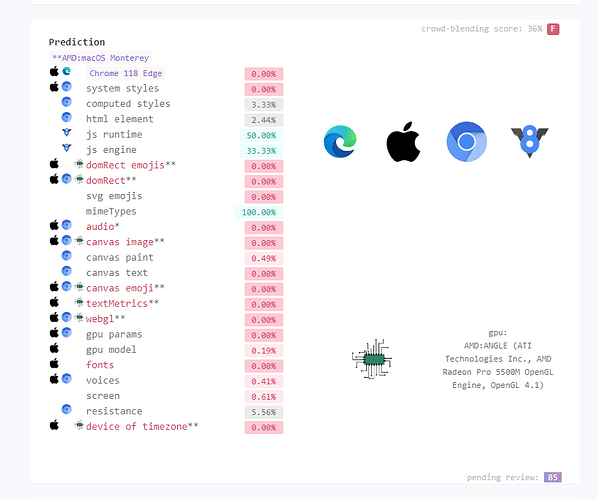
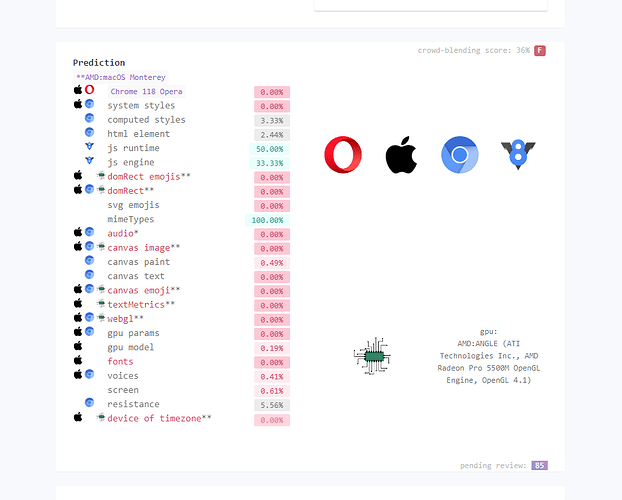
Ngoài ra ở version 2.3.9 sẽ có thêm option chọn loại trình duyệt theo hệ điều hành: Google Chrome. Edge, Opera, Brave…
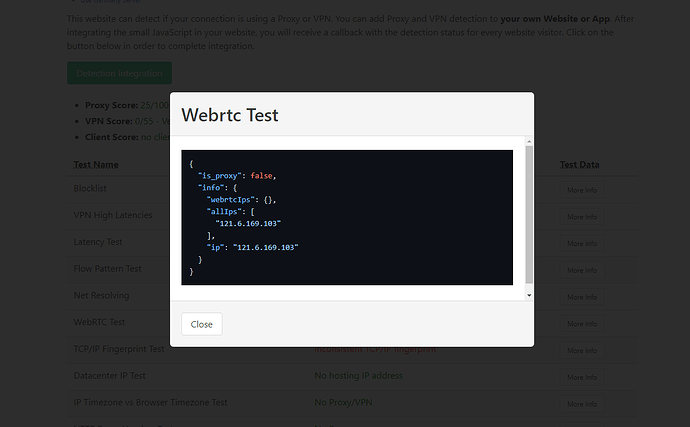
Với WebRTC chúng ta sẽ có những trang check cơ bản:
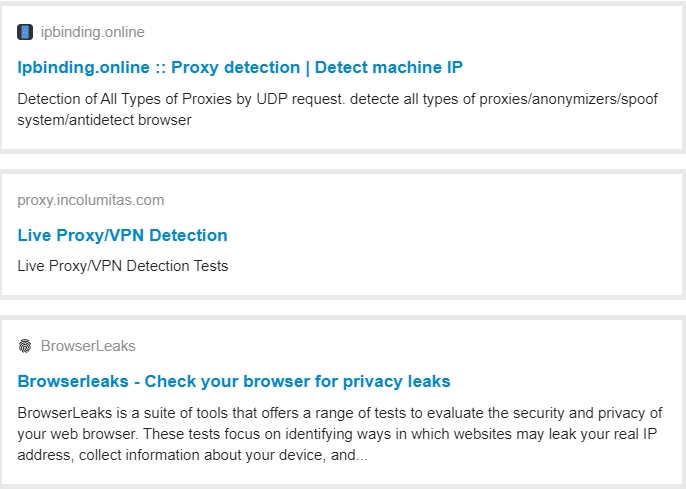
Với incolumitas:
Với ipbinding:

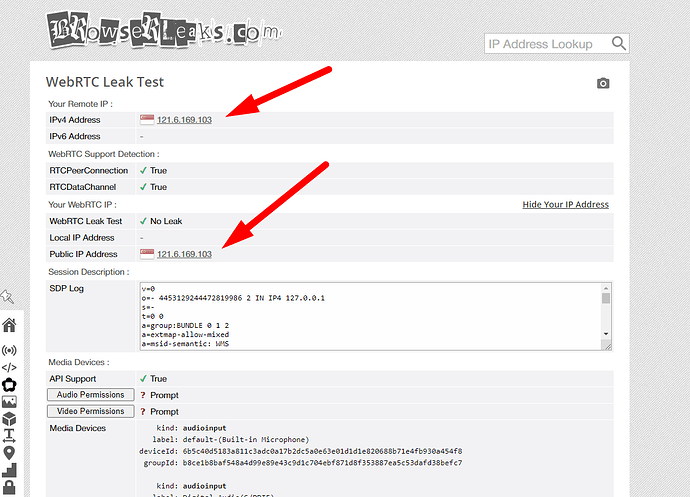
Với browserleaks:
Với các tiêu chí cơ bản hidemium đã vượt qua các bài test. Tuỳ theo nhu cầu tuỳ theo mục đích các bạn có thể lựa chọn sản phẩm phù hợp với công việc của mình.
Hiện nay với các sàn thương mại điện tử Amazon, Ebay, Esty… , hệ thống detect ngày càng chặt chẽ đòi hỏi công nghệ cần update liên tục. Với Hidemium ngại gì mà không mua 1 gói pro để trải nhiệm maximium option của chúng tôi.
Để có trải nhiệm tốt hơn xin vui lòng tham gia nhóm của chúng tôi để nhận được hỗ trợ tốt nhất:
Telegram: Telegram: Contact @hidemium
Facebook: Redirecting…
Related Blogs

CAPTCHAs often interrupt automation, slow down logins, and waste time. You've probably encountered familiar tests like “Click all traffic lights” or “I am not a robot”. They're everywhere. But what keeps modern machines from getting past CAPTCHAs?The answer is simple: machines do not have the ability to move, think, and react as flexibly as humans. In this article, Hidemium will explain in detail[…]

How to Integrate PiaProxy with Hidemium — Complete Privacy at Your Fingertips In today’s digital world, privacy, stability, and efficiency are essential — especially for marketers, developers, and eCommerce professionals managing multiple accounts and geo-targeted operations. Combining Hidemium with PiaProxy brings a powerful synergy — one that enhances anonymity, bypasses restrictions, and[…]

1. What is DNS Encryption?DNS encryption is a security technology that protects domain name queries when you visit websites. Instead of sending plain-text requests, your DNS queries are encrypted to prevent third-party tracking or interference. This is a key method to enhance online privacy and security.>>> Learn more: Latest Viettel DNS & How to change DNS to improve Internet speed2. Why Does[…]

Two-factor authentication (2FA) is one of the most effective methods to protect your account from common security threats. In this article, Hidemium will guide you step-by-step through enabling 2FA on popular platforms, explaining why the feature is important and how it helps improve personal information security.1. What is 2FA? A Simple Explanation for BeginnersTwo-Factor Authentication (2FA) is[…]

Do you think you're truly safe when using the Internet? This might not be as true as you believe. Websites often track your activities using various methods. Among these, browser fingerprinting is considered the most precise and effective tracking technology. This technique creates a unique device fingerprint based on your browser attributes and other identifiable information, posing significant[…]
.png)
Nowadays, websites can easily track user behavior through IP address and device parameters. This means that, even if you have changed your IP or used incognito mode on your browser, the system can still detect that you are logging in and operating multiple accounts at the same time.An effective solution to overcome this situation is to use it antidetect browser – specialized tool to help simulate[…]
