

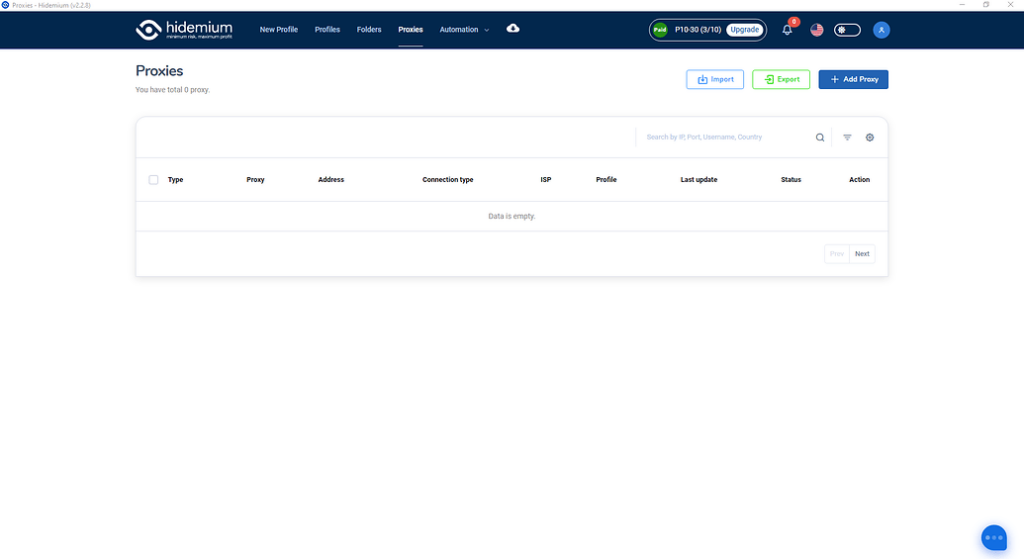
Tùy theo mục đích quản lý proxy của anh em nhé, màn hình này sẽ cho thấy bạn đã và đang dùng proxy nào, cho phép bạn check live sống chết của proxy ra sao, cho phép bạn tìm kiếm truy vấn filter theo proxy type, country, ISP, status…
Ok giờ chúng ta đi vào phần đầu tiên:

Anh em ấn vào nút Import thân thiện này hộ mình nhé.

Màn hình hiện lên ta có các lựa chọn sau đây:
Type: Kiểu proxy bạn muốn import hàng loạt
Type import: Kiểu định dạng import, nếu là text thì bạn paste text xuống ô Text bên dưới, nếu là file thì hãy chọn file để đưa vào import nhé.
Định dạng hỗ trợ của team mình đây nhé:
SSH,SOCKS5,SOCKS4,HTTP: IP|port|username|password
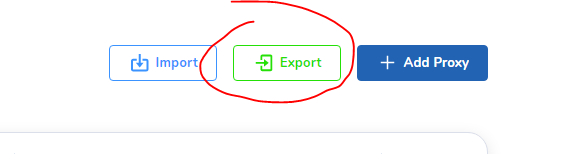
Chọn nơi cần lưu thế là đã lưu toàn bộ proxy của mình về nhé. Muốn đưa sang tài khoản khác lại chọn chức năng import có thể import nguyên data proxy từ tài khoản này sang tài khoản khác nhé.
ADD PROXY

Anh em điền loại proxy của mình vào rồi ấn Check Proxy trước khi là Add Proxy nhé. Proxy live mới cho Add vào nha.
CHECK LIVE

Anh em chọn proxy cần check, sẽ có nut Check Live hiện bên trên, việc của anh em là ấn check xong chờ kết quả nhé.

Tích xanh là Live
Tích đỏ là Die
Tương tự sẽ là chức năng delete xóa hàng loạt.
Đi vào chi tiết chúng ta có:
- Detail
- Quick create
- Edit
- Delete
Detail: Chúng ta sẽ xem được full thông tin proxy tại chức năng này

Quick create: Tạo nhanh profiles với Proxy đã chọn
Edit: Sửa lại thông tin proxy đã chọn, nhớ ấn check proxy trước khi lưu lại
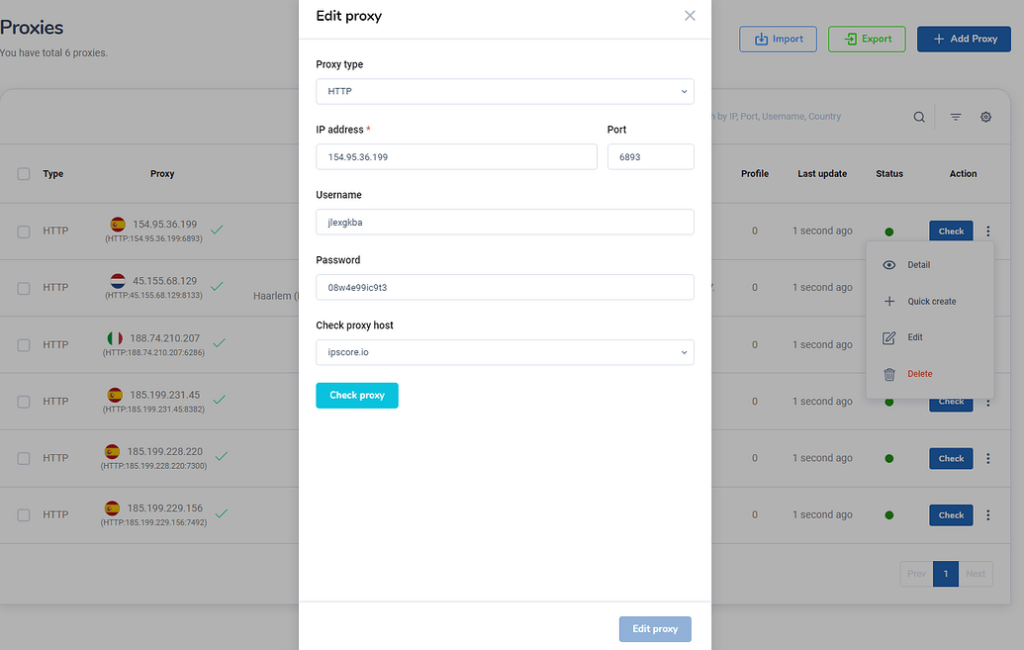
Delete: Xóa proxy đã được chọn
Và quan trọng hơn để sử dụng màn hình Proxy này anh em phải mua plan trước khi truy cập vào nhé. Link mua nâng cấp tài khoản tại: https://hidemium.io/pricing 1
Related Blogs

Browser Fingerprint: Tại Sao Lại Đáng Quan Tâm Khi Sử Dụng Phần Mềm Anti Detect Browser?

Proxies are an excellent solution for changing IP addresses, offering convenience and affordability. However, choosing a proxy provider that meets your needs isn't always easy. In this article, we'll explore TabProxy, a reputable residential proxy service, evaluating its features, performance, pros, and cons.1. What is TabProxy?abProxy is a residential proxy provider with over 200 million IP[…]

Scaling Multi-Accounting: How Proxies Complement Anti-Detect BrowsersIf you have ever done multi-accounting, you know that this activity can lead to a ban. Websites and social networks prohibit managing several accounts at the same time and block violators.However, strict bans do not stop everyone. Many users who work on the Internet successfully bypass them and manage accounts without any[…]

In this guide, we'll explore the best CAPTCHA solving service options available today, particularly focusing on their applications in web scraping operations.Web scraping has become indispensable for various stakeholders including researchers, data analysts, academic institutions, enterprises, and website administrators. However, due to the misuse of scraping tools by malicious bots and bad[…]

In today’s digitally connected world, it’s critical that devices and networks communicate effectively with each other. That’s why gateways are more important than ever. Whether you’re an IT professional, a network engineer, or simply want to understand how networks work, this article will help you understand how your devices and networks work. Antidetect Browser Hidemiumwill help you understand[…]

In the context of global digital transformation, the two most prominent technologies today are AI (Artificial Intelligence) and Blockchain. If AI brings the ability/Intelligent data processing, learning and accurate prediction, Blockchain creates a transparent, decentralized and highly secure platform. When combined, they not only help optimize processes, improve reliability, but also open up the[…]
